Stop duplicating frames by hand
If you ship products in multiple languages, you know the pain.
Manually duplicating frames, copying translations, resizing texts, and exporting screenshots for every locale eats your design time and introduces errors.
Multilingual Variant Generator automates that workflow. You design once, connect your translations, and let the plugin generate variants for each language.
Perfect for
What the plugin can do
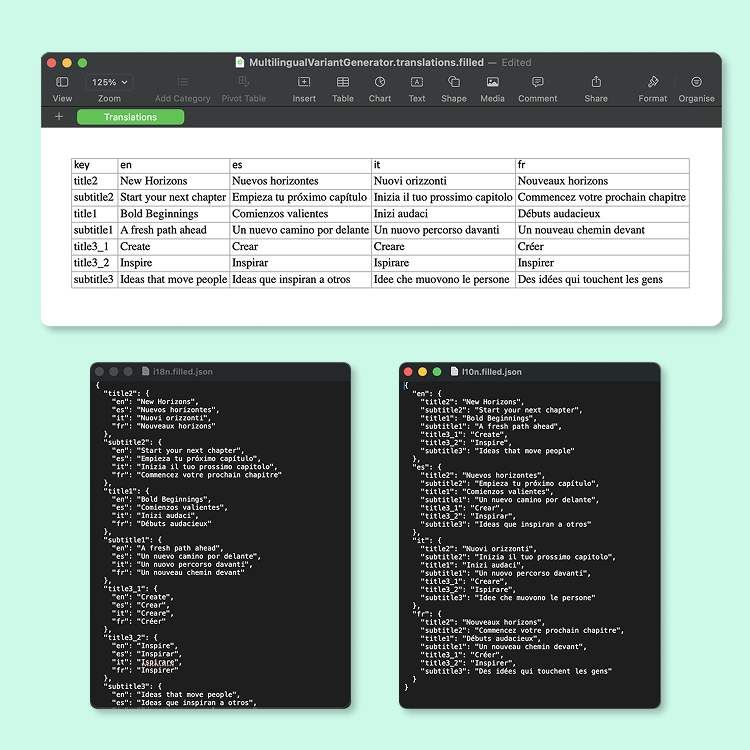
Import translations from JSON and Excel
Bring your existing localization files into Figma. The plugin supports JSON organized by language, JSON organized by key, and Excel files with one column per language. Everything is normalized into a simple structure inside the plugin.
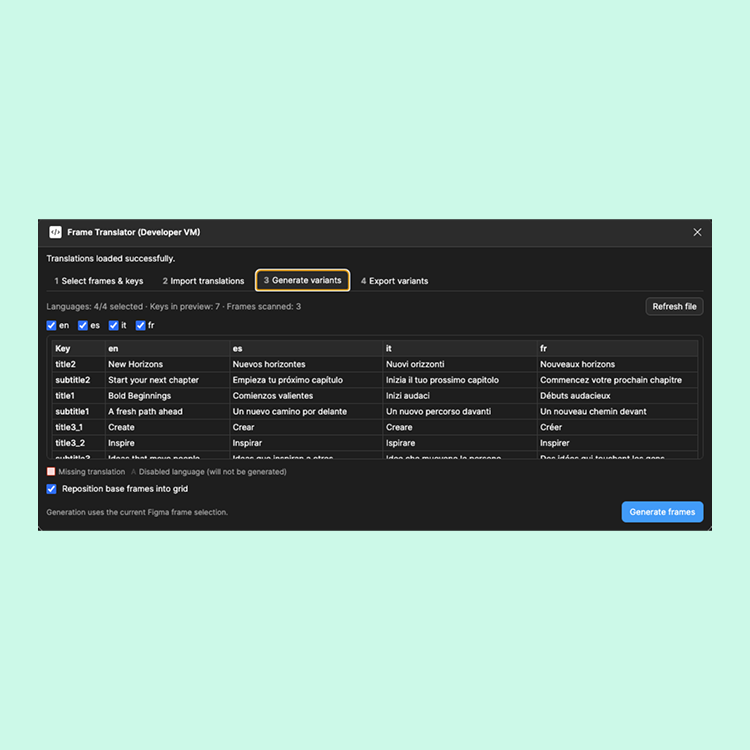
Preview and validate your translations
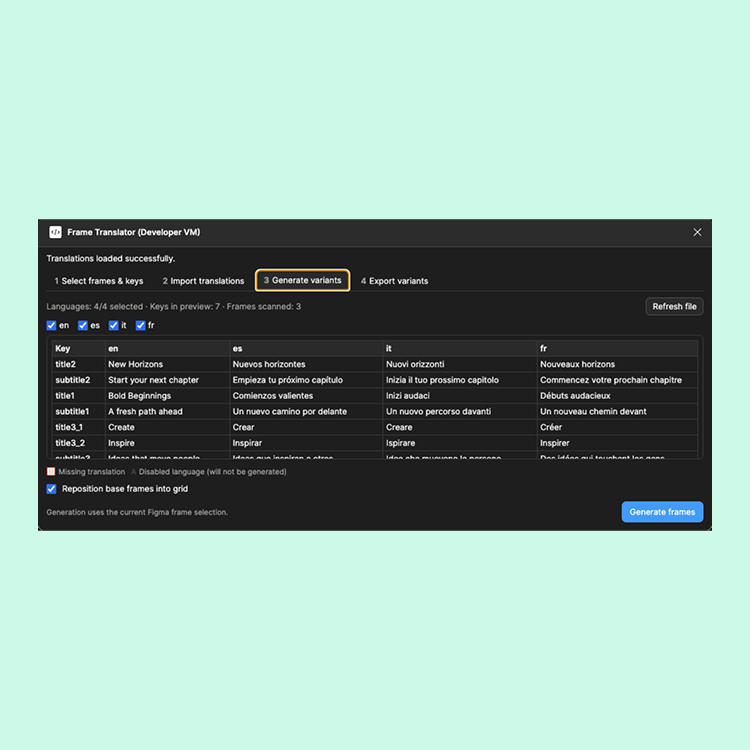
See all your keys and languages in a clean table. Highlight missing translations, check which languages you want to generate, and fix issues before touching your Figma frames.
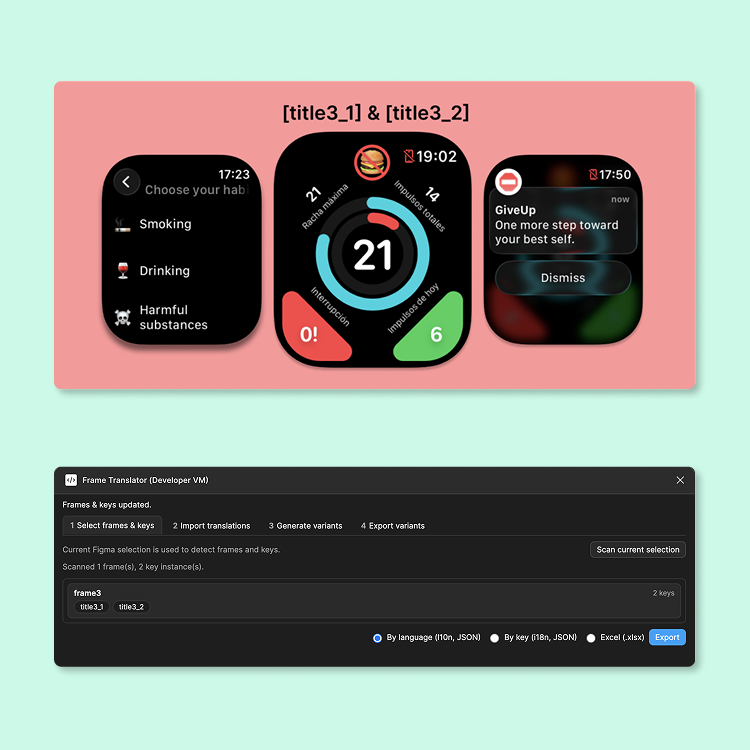
Map keys directly inside your designs
Use brackets inside your text layers, like [hero_title] or [cta_label]. The plugin reads those keys and replaces only the content, so your layout, styles, and auto layout remain intact.
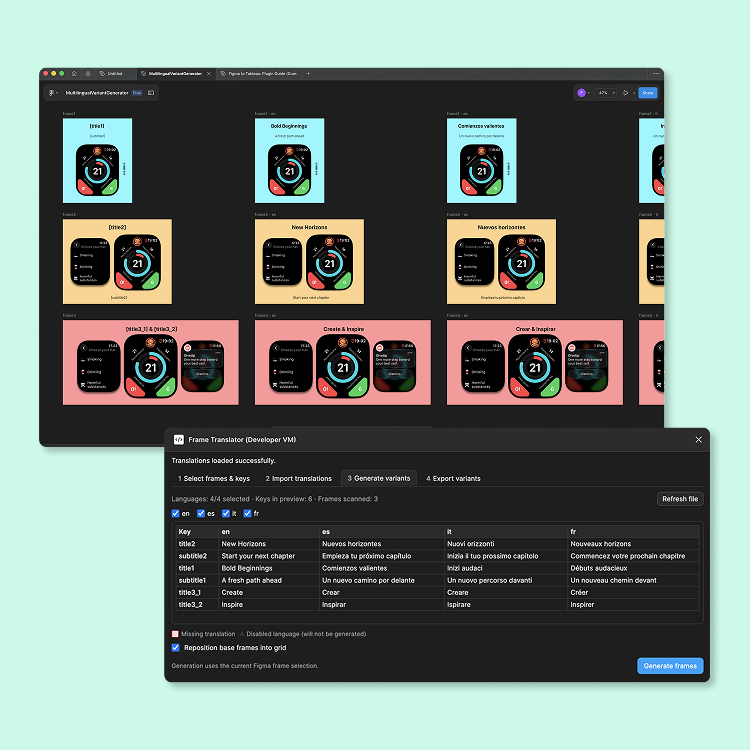
Generate one frame per language
Pick a base frame, choose the languages you want, and let the plugin duplicate and rename each variant. Frames are positioned side by side and named using the pattern “FrameName - languageCode“.
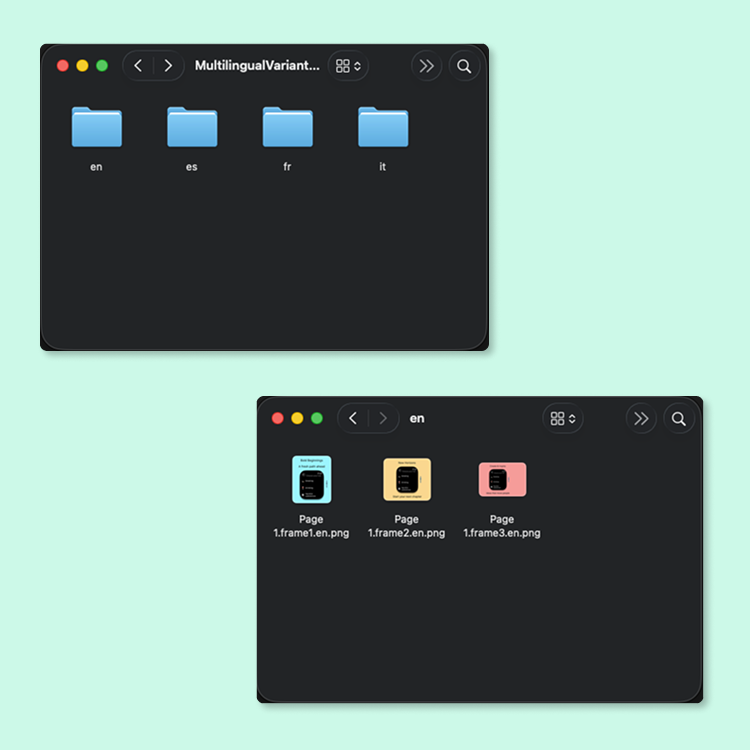
Export localized frames in multiple formats
Export all your generated frames in one go. The plugin supports PNG, JPG, SVG and PDF, giving you the flexibility to prepare marketing assets, documentation, or store screenshots exactly as you need them.
Ready for growing localization files
As your product gains new markets, just refresh the translations from your JSON or Excel file and generate new frames for additional languages.
How it works
/

Create your base frames with translation keys
Start by designing your base frames exactly as you want them. Inside each text layer, include translation keys wrapped in brackets, like [title], [subtitle] or [cta_label]. These keys tell the plugin where each translation should go.

Export your translation keys for localization
Open the plugin and go to the first tab. Here you can export all detected translation keys into JSON or Excel formats. Share the file with your localization team, translate it yourself, or generate multilingual content using AI tools such as ChatGPT. The plugin supports both i18n and l10n JSON structures.

Import completed translations
In the second tab, upload your translated files. You can import the JSON or Excel files you previously exported, or any valid translation file created externally. The plugin automatically normalizes all formats and checks for missing or inconsistent translations.

Generate localized design variants
Head to the third tab to generate your multilingual frames. The plugin duplicates your base frame for every selected language, replaces the keys with the correct translations, and organizes all variants in a clean horizontal or grid layout. Everything stays aligned and easy to review.

Export all variants in a single ZIP
Finally, in the last tab you can export everything at once. The plugin creates a ZIP file containing one folder per language and exports each frame in your preferred formats: PNG, JPG, SVG or PDF. You can also choose the export scale (0.5x, 0.75x, 1x, 1.5x, 2x, 3x or 4x).
Use Cases
App store
screenshots
Keep a single master design for each screen and generate localized versions for every country you support.
Marketing
campaigns
Create multi language campaigns without duplicating work. Update translations once, regenerate, and export.
Product
onboarding
Test copy in different languages while keeping layout and spacing consistent across your onboarding flows.
Design
systems
Use keys to standardize copy across flows and ensure your product voice stays consistent in every language.
Flexible billing, full functionality
Unlimited access to the plugin in every plan
Choose monthly, save yearly or go lifetime. Your workflow stays the same.
Monthly subscription
£4.99
A flexible plan for individuals and small teams who want full access without long commitments.
Everything included:
- Import translations (JSON, Excel)
- Unlimited keys and languages
- Variant generation from base frames
- Grid positioning for generated frames
- Export to PNG, JPG, SVG and PDF
- ZIP export separated by language
- Choice of export scale (0.5x to 4x)
- All updates and full support
Cancel anytime
Yearly subscription
£49.90
The best option for teams working with localization throughout the year.
Same full access, lower annual cost.
Everything included:
- Import translations (JSON, Excel)
- Unlimited keys and languages
- Variant generation from base frames
- Grid positioning for generated frames
- Export to PNG, JPG, SVG and PDF
- ZIP export separated by language
- Choice of export scale (0.5x to 4x)
- All updates and full support
Cancel anytime
Forever
£99.90
One payment, forever access.
Perfect for agencies, studios and long term workflows.
Everything included:
- Import translations (JSON, Excel)
- Unlimited keys and languages
- Variant generation from base frames
- Grid positioning for generated frames
- Export to PNG, JPG, SVG and PDF
- ZIP export separated by language
- Choice of export scale (0.5x to 4x)
- All updates and full support
Cancel anytime
Payments are processed securely with Lemon Squeezy.
Frequently asked questions
No. You can keep using your existing JSON or Excel files. The plugin supports standard localization formats and simply normalizes them inside Figma.
Yes. You can import different translation files for different projects or brands and choose exactly which languages to generate each time.
The plugin only replaces the text where it finds keys inside brackets. Your frames, auto layout, styles and components stay as you designed them.
You can export all your localized frames in PNG, JPG, SVG and PDF. The plugin also lets you choose the export scale, from 0.5x up to 4x, and bundles everything neatly inside a ZIP file separated by language.
Subscriptions are handled through Lemon Squeezy, which uses Stripe for payments. You can manage billing, invoices and cancellations directly from your Lemon Squeezy account.